Montra

Real Estate CRM · Built for WA agencies

Listings, leads, offers and rentals in one place.

A CRM for small agencies, from solo agents to teams of about ten, sold together with your website and hosting. Type a listing once and it goes to your site and every major portal.
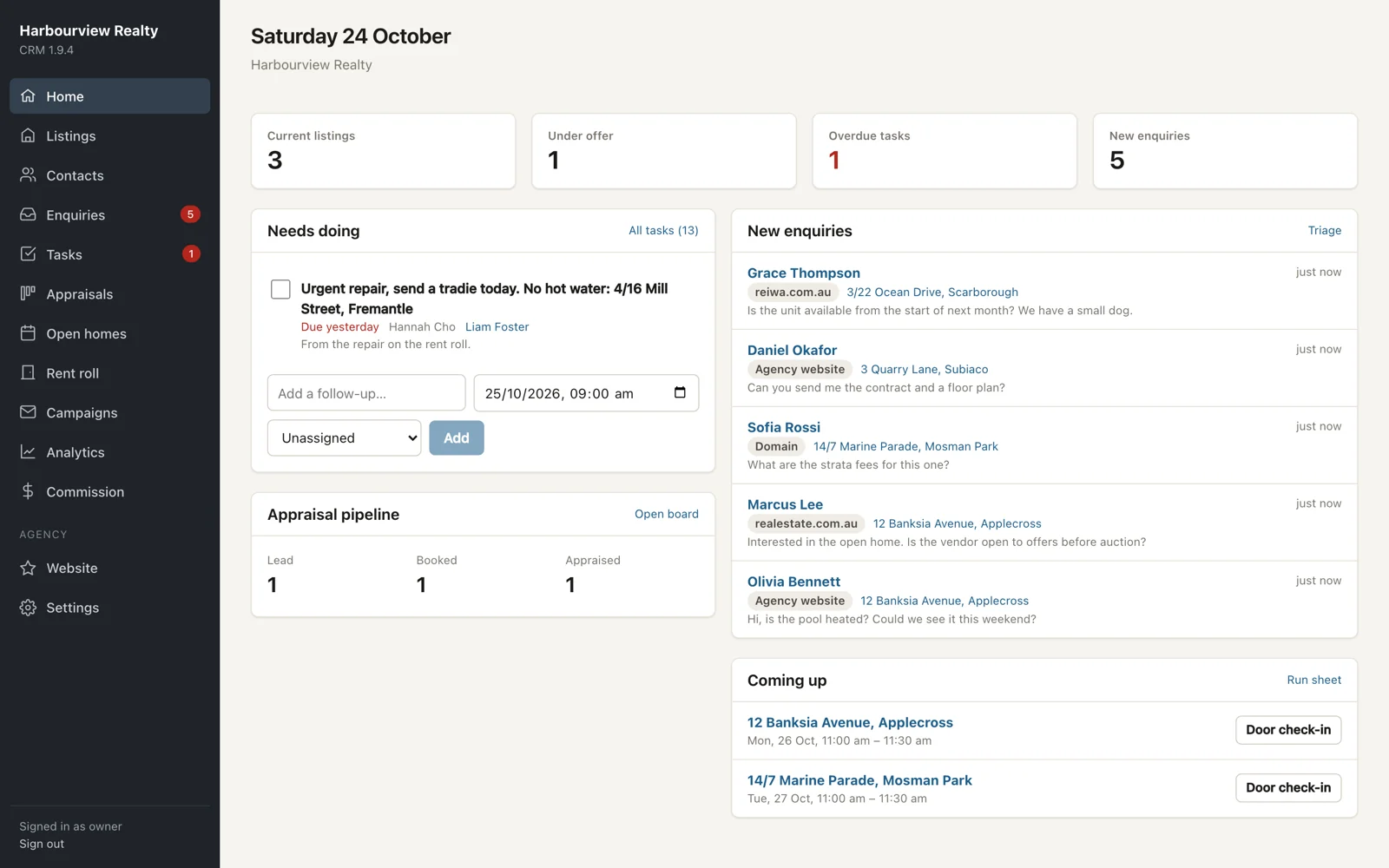
The CRM home screen: current listings, overdue tasks, new enquiries and upcoming open homes
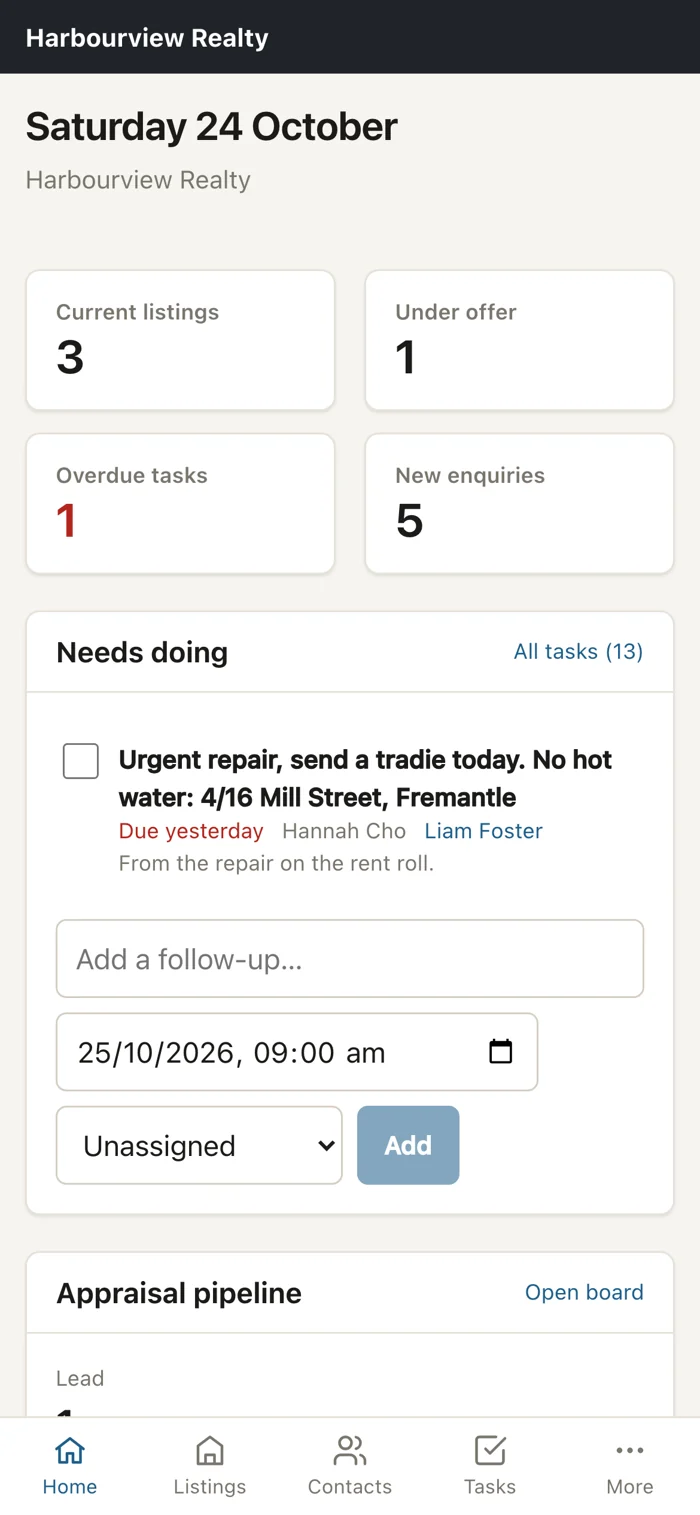
The same home screen on a phone
Type it once. It goes to
realestate.com.auDomainREIWAHomelyYour website

Why agencies switch

One place to type a listing.

Most small offices run a CRM, a separate website provider and a login for every portal, then copy the same listing between them. Here your website reads listings, team and reviews straight from the CRM, and we set up the portal feeds for you.

BeforeCRM subscriptionSeparate website providerA login for every portalSpreadsheets for commission
With MontraOne CRM for the officeYour website, built and hostedPortal feeds set up by usCommission tracked per sale
01 · Listings and portals

Publish to every portal without logging in to any of them.

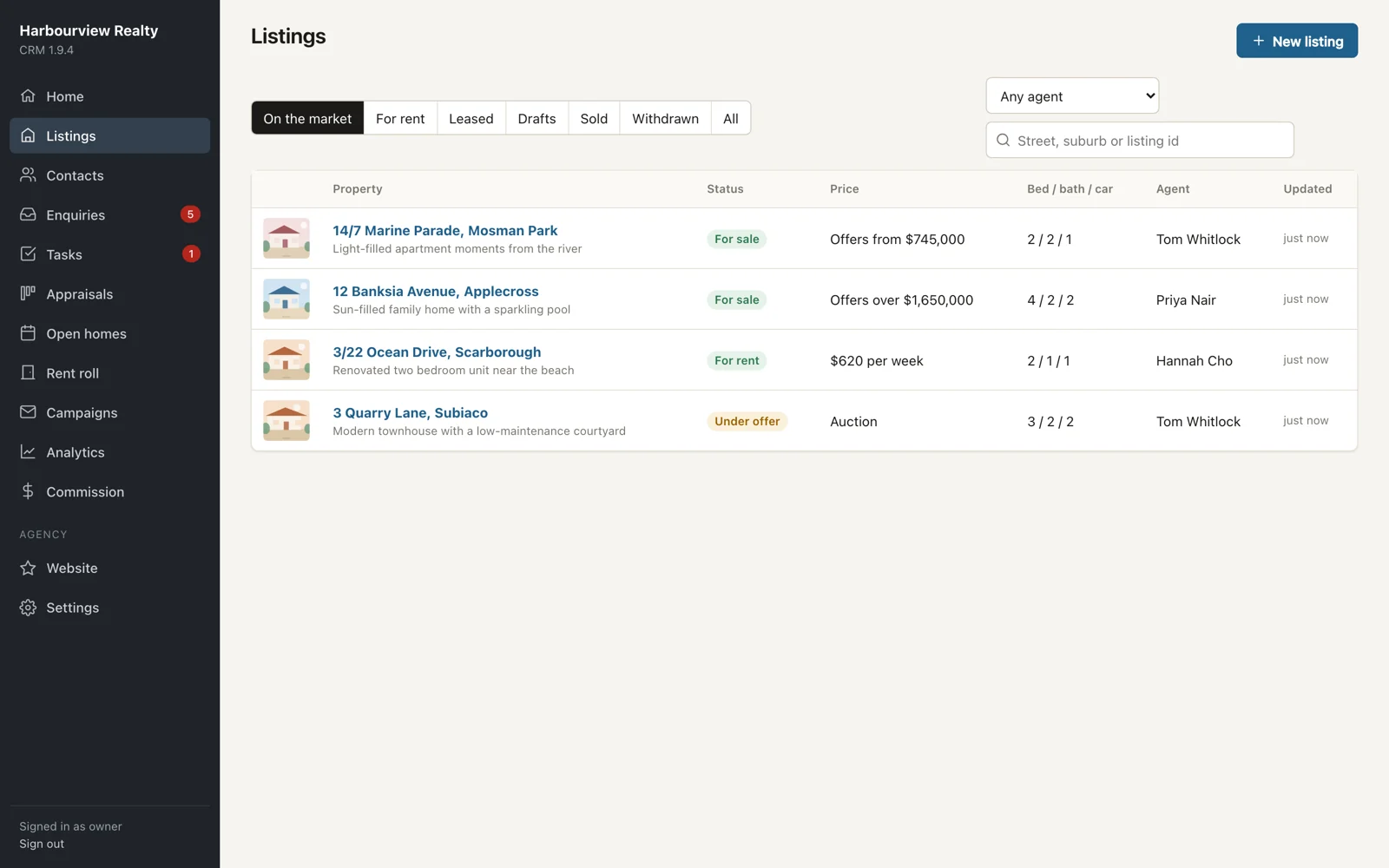
Sales and rentals, with up to 40 photos you drag to reorder, floor plans, video and virtual tour links, inspection and auction times. Choose where each listing is advertised. Drafts are never sent anywhere.

  • —Remove a photo in the CRM and it comes off the portals
  • —Refused listings are flagged and retried each night
  • —Re-advertise a rental from a past listing in one click
Listings screen showing properties on the market with status, price and agent
02 · Enquiries

Every enquiry in one list, not five inboxes.

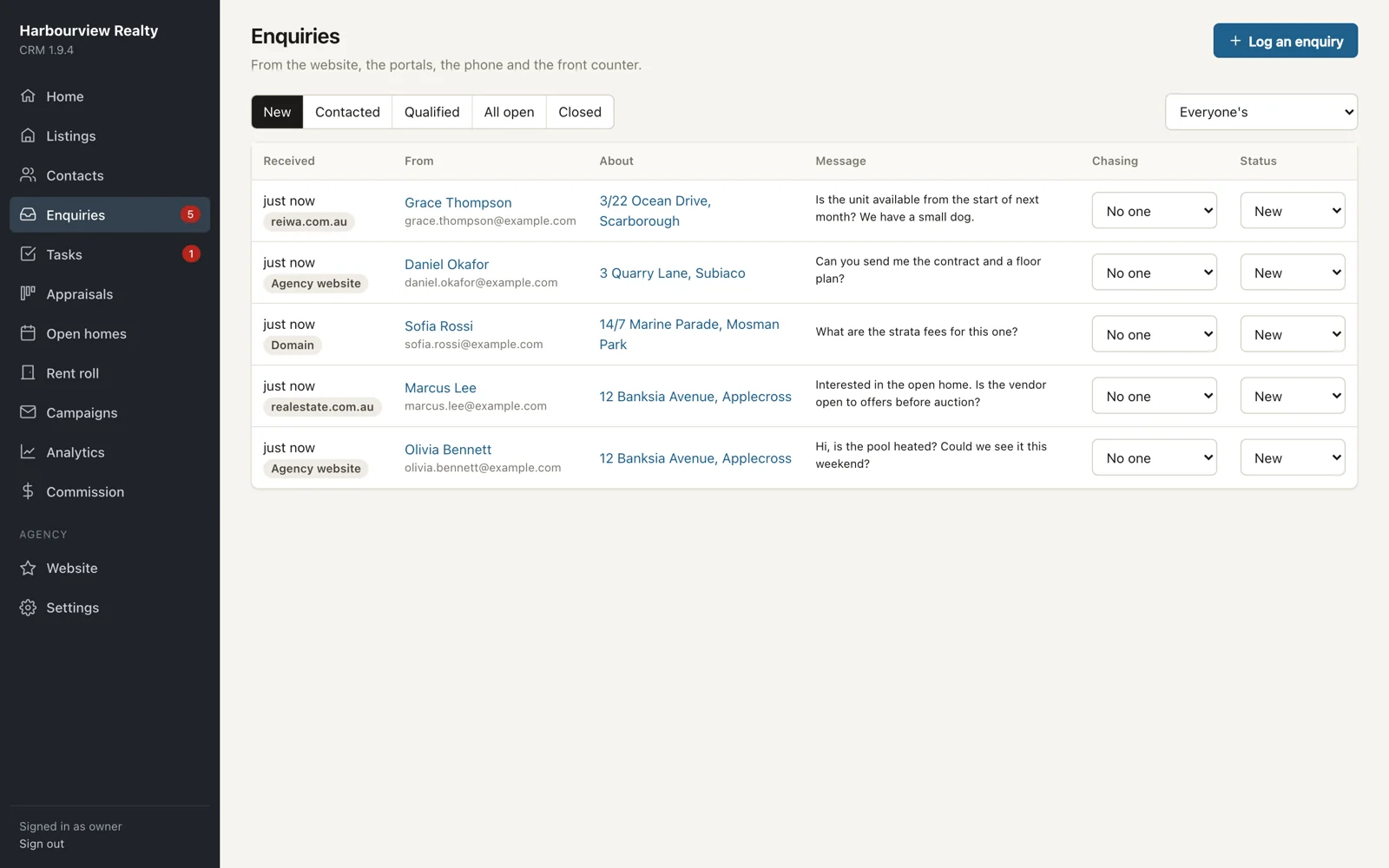
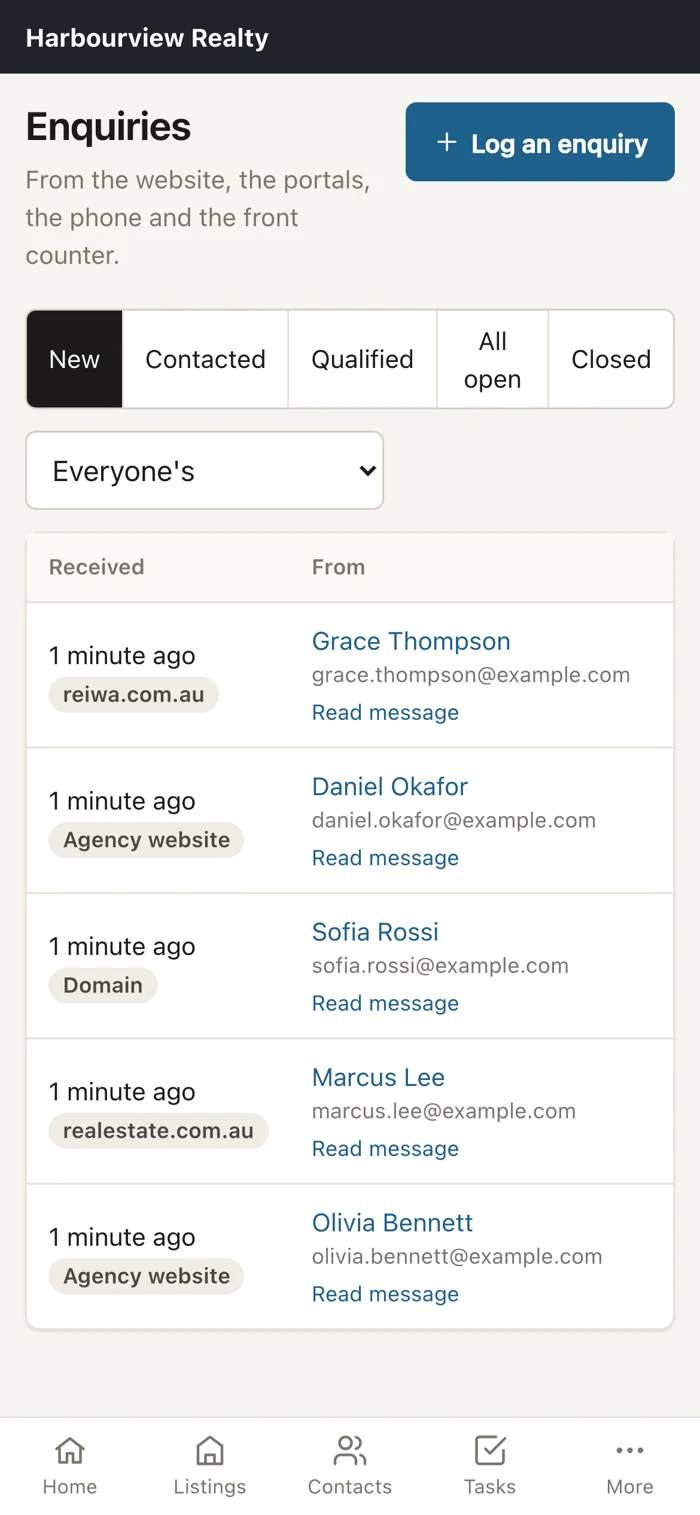
Enquiries from your website, realestate.com.au and Domain come in automatically every 15 minutes. Homely and REIWA arrive by email, and phone or walk-in enquiries are logged by hand. Assign each one, track it from new to closed, and every enquiry becomes a contact.

Enquiries screen listing new enquiries with their source, property and status
03 · Contacts and buyers

Know who wants what before the listing goes live.

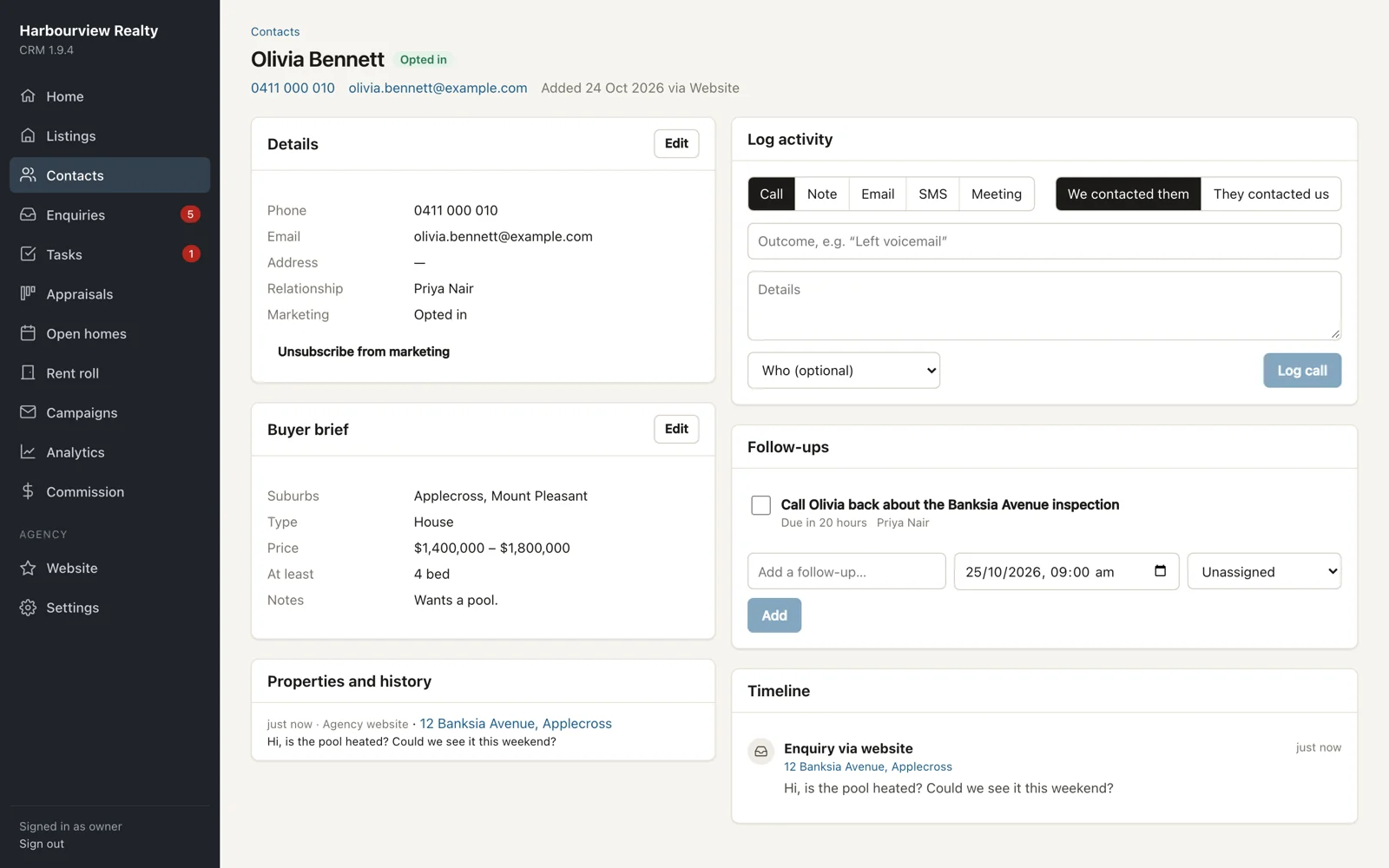
Each contact has one timeline of calls, notes, emails, enquiries and open-home visits. Save a buyer's brief (suburbs, price, bedrooms, type) and see which listings match. Marketing consent and unsubscribes are tracked to help you meet the Spam Act.

A contact record with buyer brief, follow-ups and timeline
04 · Appraisals and open homes

See where next month's listings are coming from.

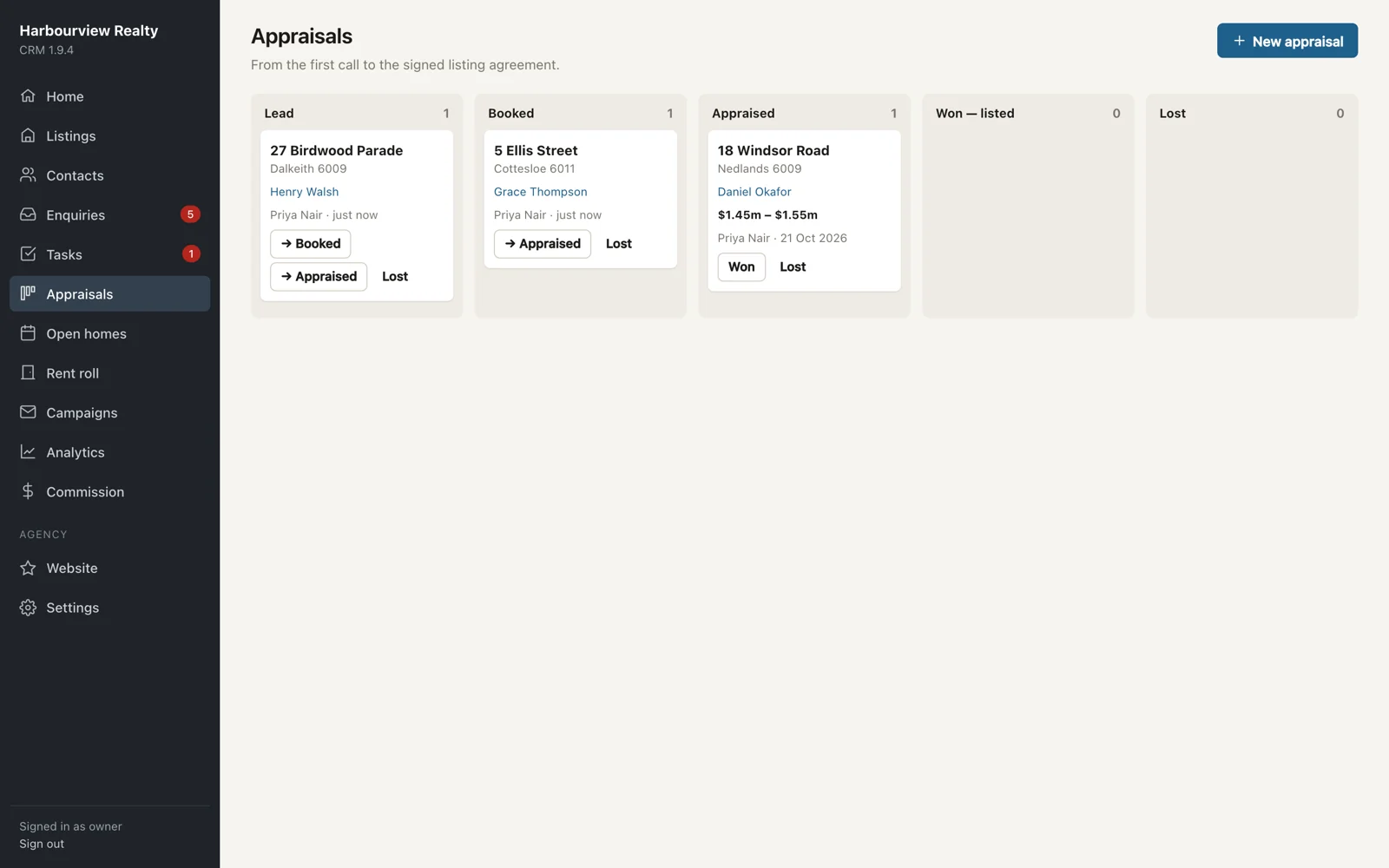
Track each appraisal from lead to booked, appraised, then listed or lost, with the price range you quoted. Win one and the listing is created for you. At open homes, check people in at the door or let them scan a QR code on their own phone. Attendance feeds straight into vendor reports.

Appraisal pipeline board with lead, booked, appraised, won and lost columns
05 · Offers to settlement

No more deadlines on sticky notes.

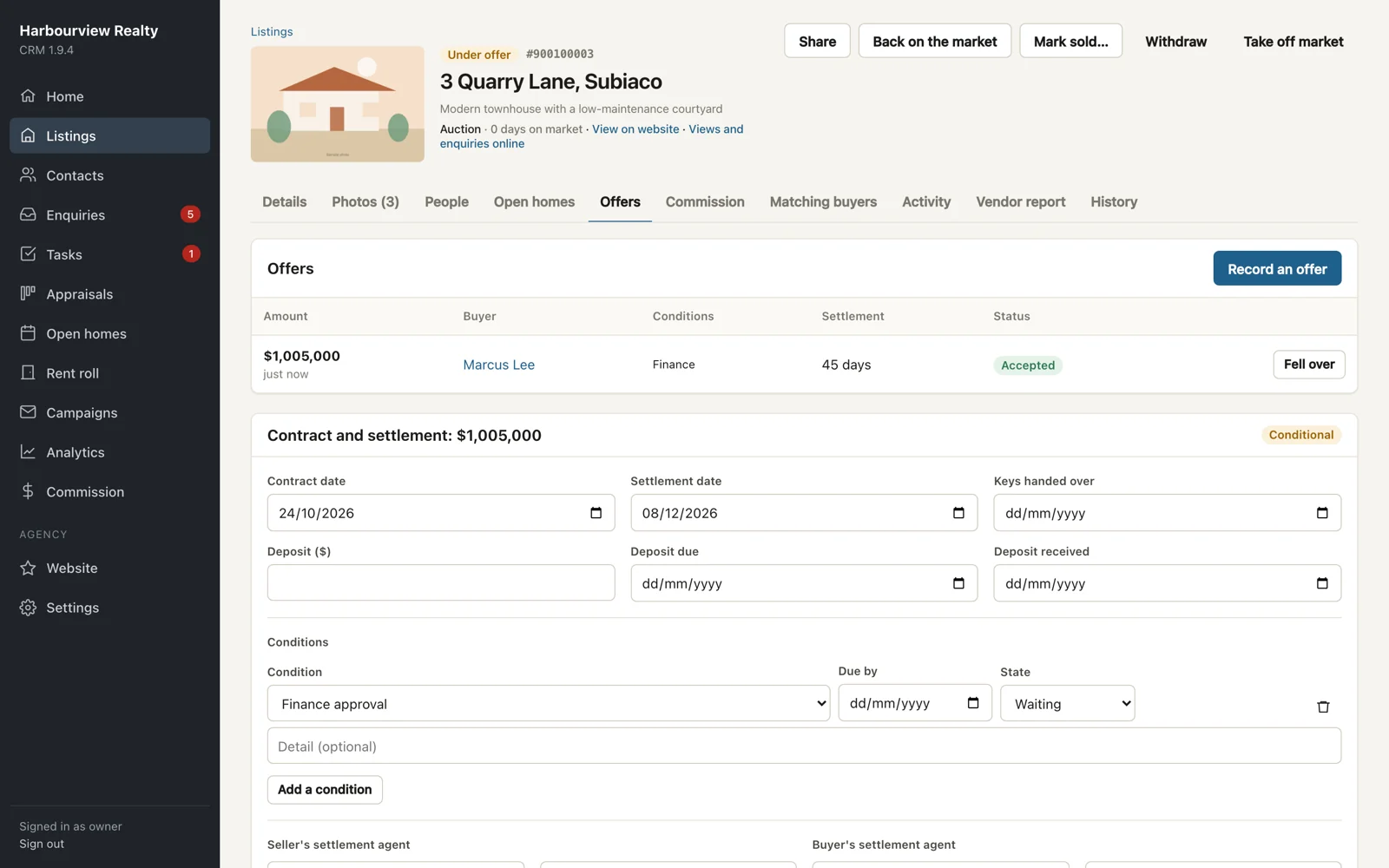
Record offers with their conditions (finance, building inspection, pest, subject to sale), then accept or reject. Track contract and settlement dates, the deposit, each condition's due date and the settlement agents. Reminder tasks are created automatically.

A listing's offers tab with an accepted offer and contract and settlement details
06 · Commission

Commission worked out, split and ready for the bookkeeper.

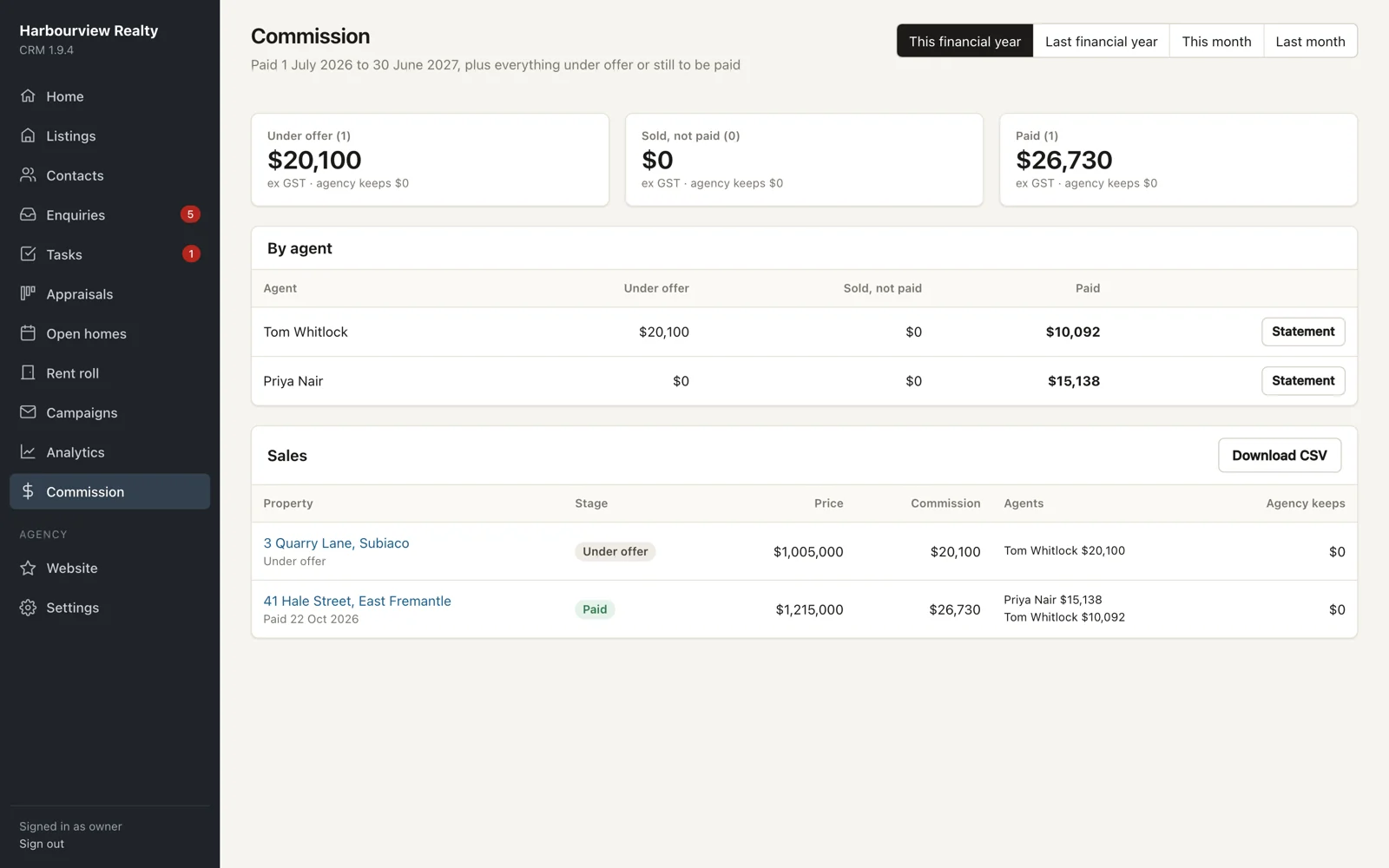
Set terms per listing as a percentage or fixed fee, with deductions like referral fees and agent splits. See agency and per-agent totals by financial year, print agent statements, and download a CSV. Admins see everything; each agent sees only their own statement.

Commission screen with totals under offer, sold and paid, by agent and by sale
07 · Property managementAvailable now, switched on per agency

Your rent roll in the same system as your sales.

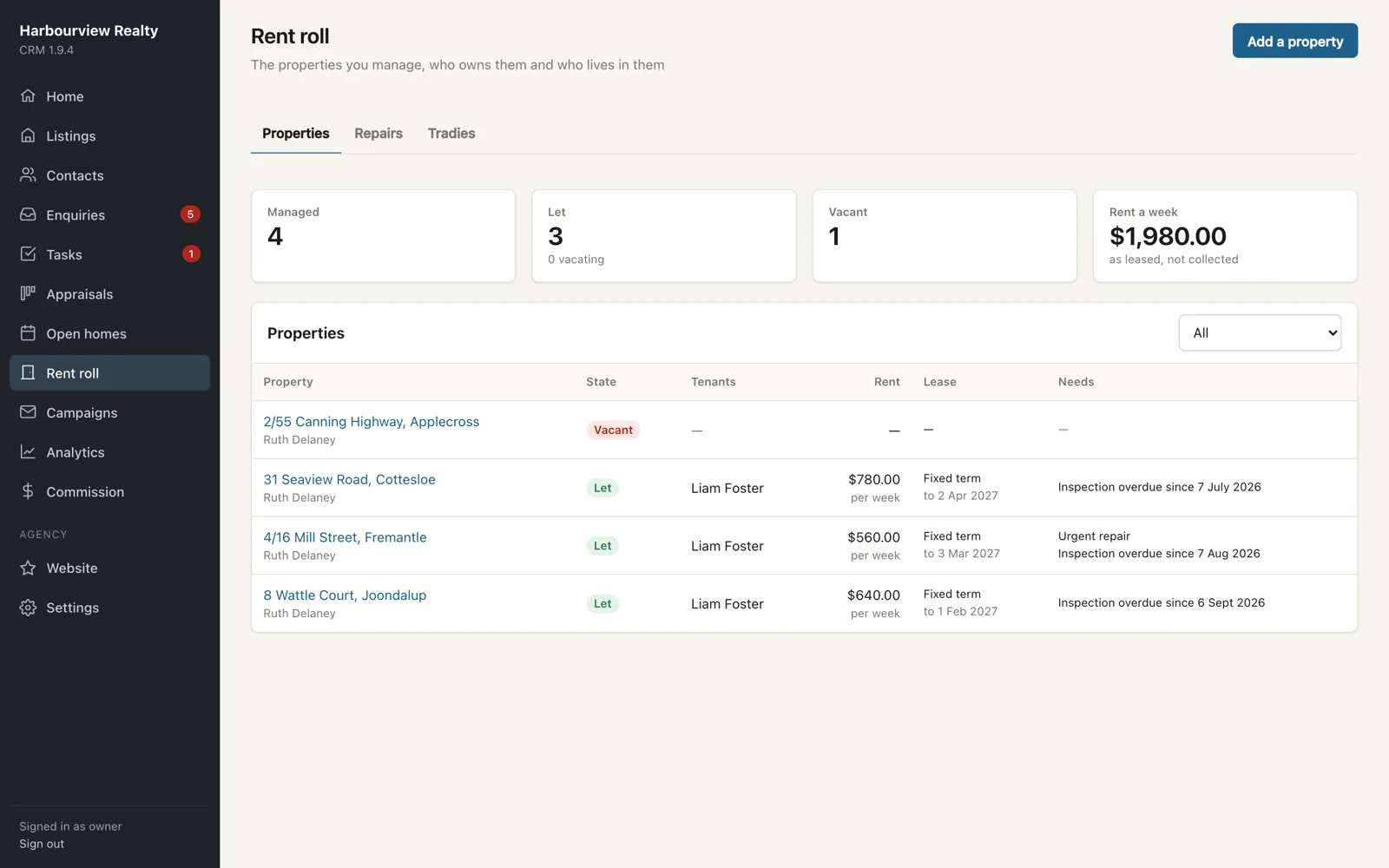
Managed properties, owners, tenancies, rent and bond records, management agreements and the key register. Routine and entry or exit inspections with photos. Repairs with quotes and owner approval by a signed link, work orders, and a tradies directory that tracks licence and insurance expiry.

Rent and bond are kept as records. The CRM doesn't process trust-account payments.

Rent roll with managed properties, tenants, rent and inspections due

Also in the box

Tasks and follow-ups

Shared and personal to-do lists linked to a contact or listing, with overdue counts on the home screen.

Analytics and vendor reports

Views, saves, enquiries and phone reveals per listing from the portals and your website, daily, on one page.

Social sharing

Share a listing to Instagram and Facebook in one tap, using post templates.

Your agency website

Reads listings, team and reviews straight from the CRM, and counts listing-page views for analytics.

Desktop, tablet and phone

Run the open home from your phone.

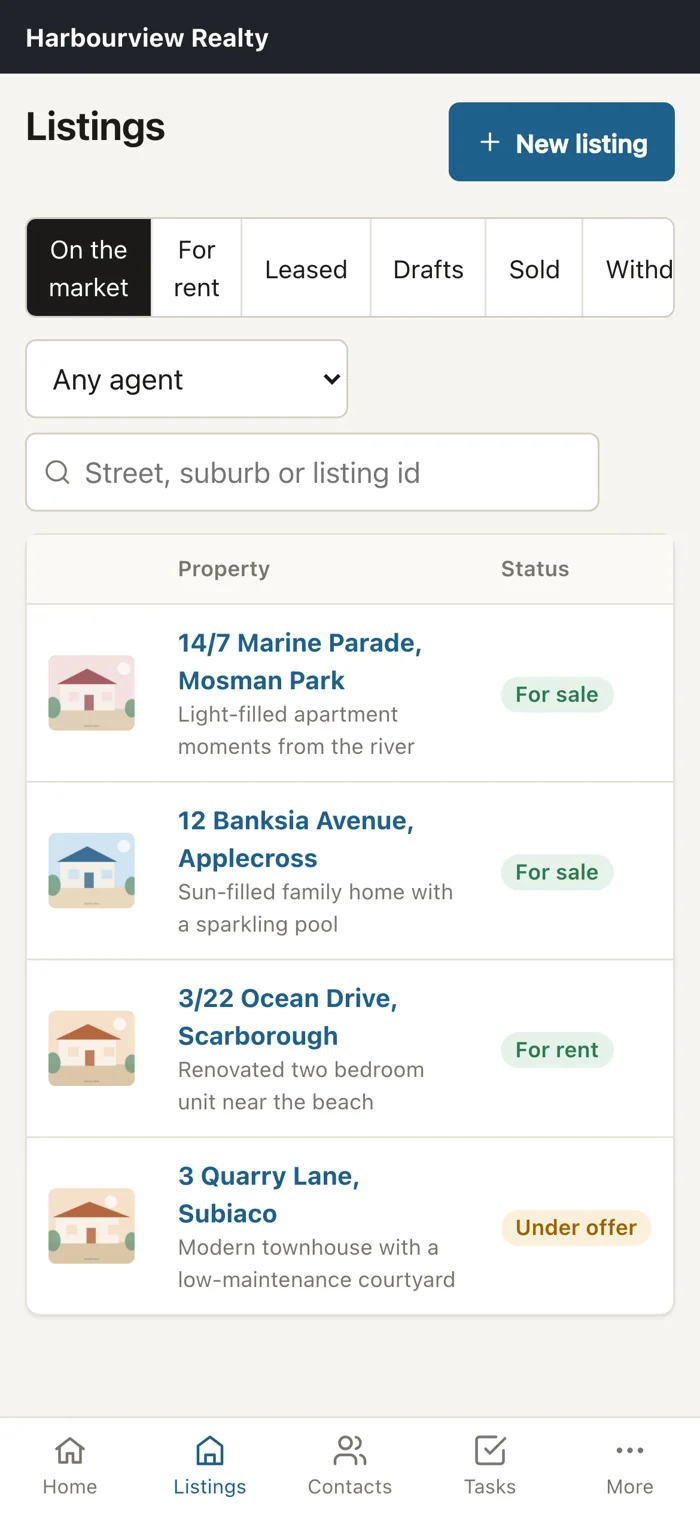
Check people in at the door, answer an enquiry between inspections, or update a listing from the car. It's the same CRM, laid out for a small screen.

Listings on a phone
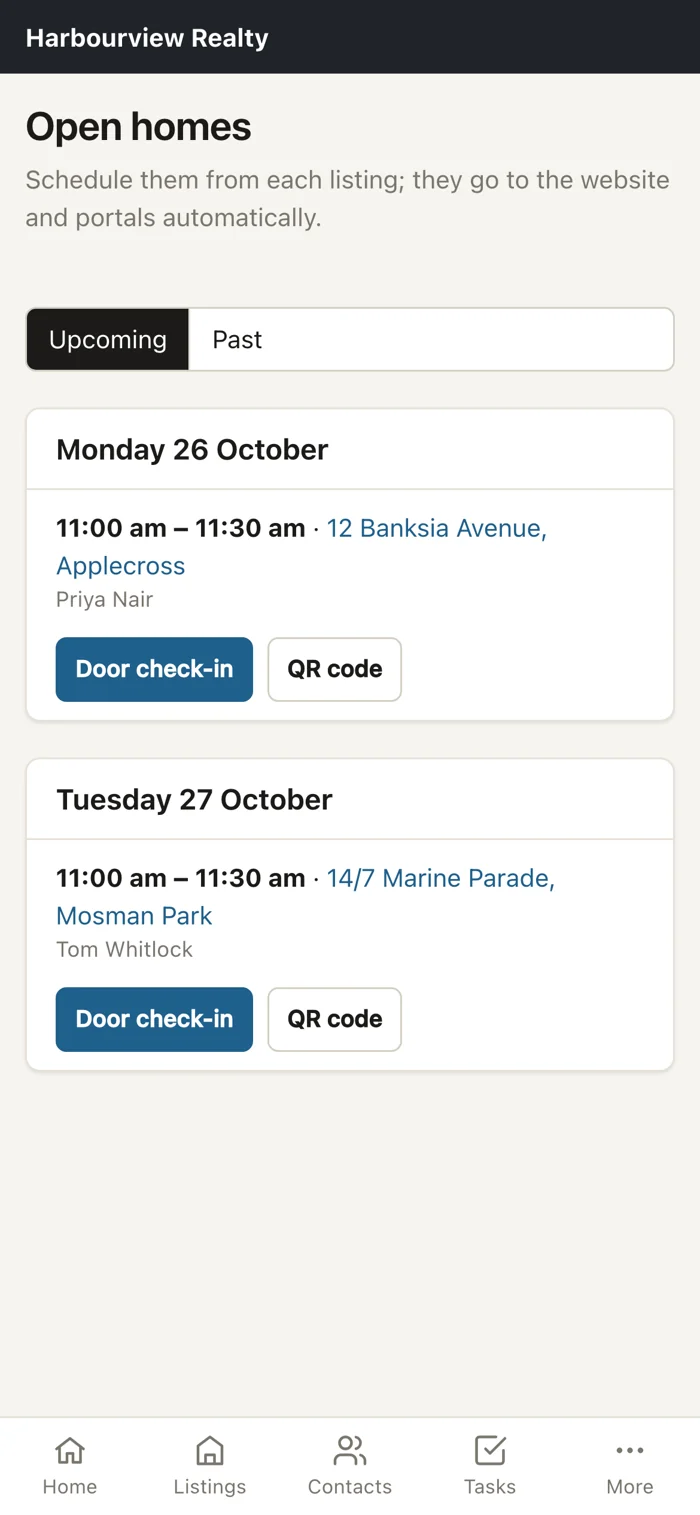
Open homes with door check-in and QR code on a phone
Enquiries on a phone

Security and privacy

Your agency's data, kept apart and kept in Australia.

More features, switched on when you need them

These are finished and switched on per agency, so your team only sees what it uses.

Principal dashboardMarketing schedule and VPABranded appraisal reportsBuyer alerts for new listingsAutomatic follow-up tasksLetter templatesCalendar feed for Google, Apple, OutlookPrivacy Act deletion requestsLand listingsXero commission export

Switching over

We do the heavy lifting.

  1. 1We move your dataListings, contacts and team come across from your current system. We check your old listing links still work.
  2. 2Your website goes liveIt reads straight from the CRM, so it's never out of date.
  3. 3Portals connectedWe set up your realestate.com.au, Domain, REIWA and Homely feeds.
  4. 4Team signs inEach person gets their own login and role. We're on support from day one.

See it with your own listings.

We'll walk you through the CRM using a few of your current properties, so you can see how your week would change.